
Introduction: Never Miss an Important Business Call
What happens when an employee’s desk phone suddenly becomes unreachable? A power outage, internet disruption, network issue, or even an unexpected device failure can leave an extension unavailable to receive calls. While these situations are often temporary, the missed calls and lost opportunities can have a lasting impact on your business.
That’s where Unreachable Forwarding comes in.
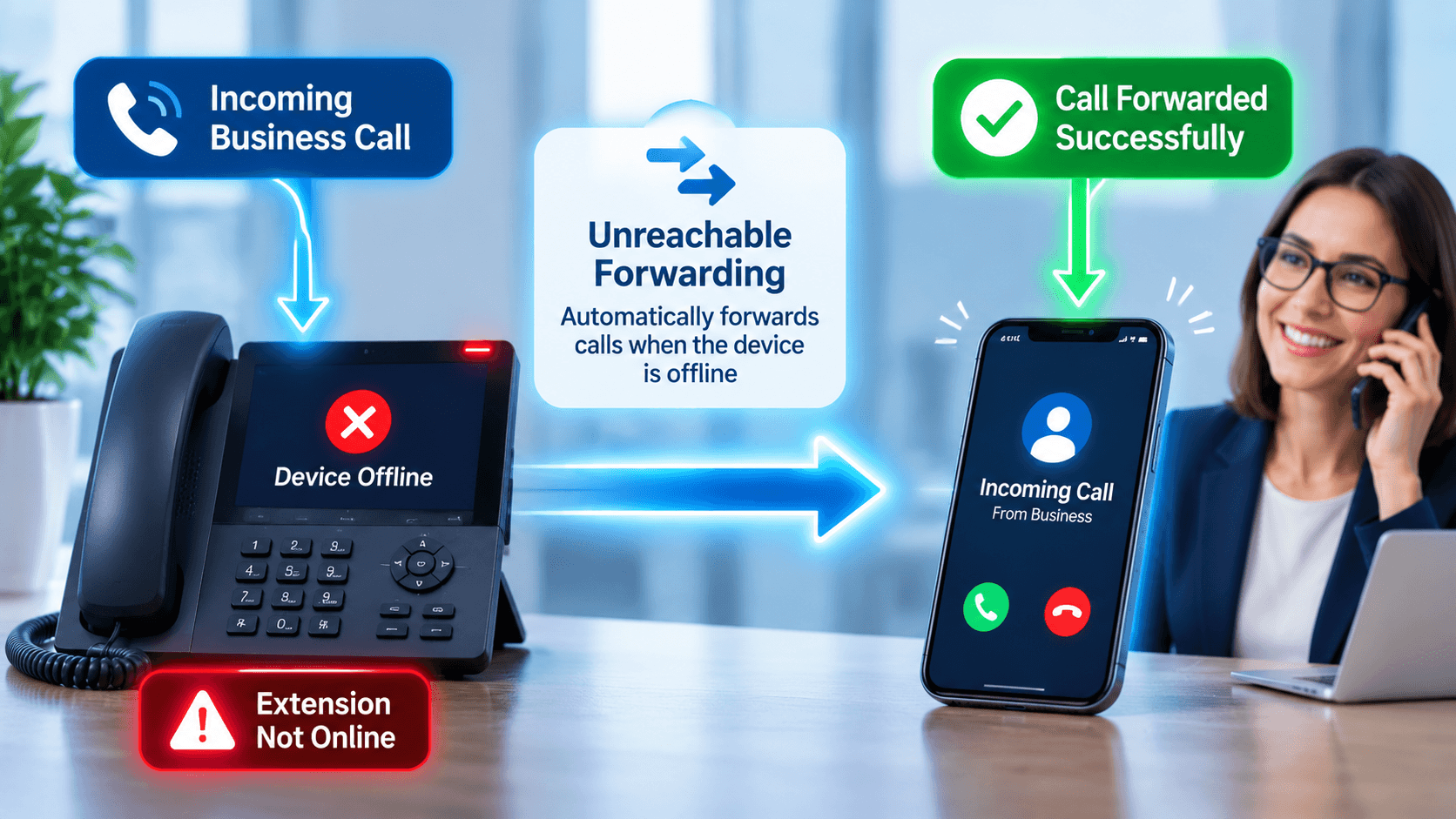
Available with FiberConX Communications VoIP services, Unreachable Forwarding provides an additional layer of reliability by automatically redirecting incoming calls when a defined extension cannot be reached by the SIP server. Rather than allowing calls to go unanswered because a device is offline, your phone system can send those calls to another destination, such as a mobile phone, another extension, or an after-hours answering service.
It’s an important safeguard for businesses that depend on being accessible, particularly when calls are directed to key employees in departments such as technical support, sales, or customer service.
If keeping your business connected matters, Unreachable Forwarding is a feature worth having configured in your VoIP system.
What Is Unreachable Forwarding?
Unreachable Forwarding is designed for a very specific situation: an extension has been configured on your VoIP account and is normally expected to be registered and reachable by the SIP server, but for whatever reason, it becomes unavailable.
This could happen for several reasons, including:
- A power outage affecting the phone or the location where it is installed.
- An internet connection failure.
- Local network or router problems.
- A SIP phone losing its connection to the VoIP server.
- A device malfunction or unexpected disconnection.
Under normal circumstances, when someone calls an extension, the SIP server attempts to connect the call to the associated phone. If that phone is unreachable, the call cannot be delivered to the intended device.
With Unreachable Forwarding enabled, the system can recognize this condition and redirect the call to a predetermined destination.
That destination could be another extension within your organization, an employee’s cell phone, or even an external answering service or after-hours call centre.
The objective is simple: make sure important calls still have somewhere to go, even when the intended phone is unavailable.
How Is It Different From Other Call Forwarding Features?
It’s important to understand that Unreachable Forwarding is not the same as standard Call Forwarding, Extension Forwarding, or Follow Me.
These are separate features designed to handle different call-routing scenarios.
For example, standard Call Forwarding allows calls to be redirected based on a user’s forwarding preferences. Follow Me can distribute incoming calls across multiple destinations in a defined sequence or arrangement.
Unreachable Forwarding is different because it only comes into play when the configured extension itself cannot be reached by the SIP server.
It isn’t intended to replace your normal call-routing preferences. Instead, it acts as a last line of defence when the primary extension is offline.
Think of it as a backup plan for your backup plan: if the phone that is supposed to receive the call isn’t available, your VoIP system has another destination ready.
Why Should Your Business Use Unreachable Forwarding?
Not every incoming call has the same level of importance. For some businesses, a missed call might simply mean a customer tries again later. For others, it could mean a delayed support response, a lost sales opportunity, or an important issue going unnoticed.
Consider a few examples:
Technical Support: Your technical support extension is normally staffed and available. However, a power outage or internet issue takes the phone offline. With Unreachable Forwarding, incoming support calls can be redirected to a technician’s mobile phone so customers can still receive assistance.
Sales Departments: A sales representative’s extension becomes unreachable during a network interruption. Rather than sending prospective customers to an unanswered destination, calls can be redirected to another sales extension or a designated mobile number.
After-Hours Coverage: Your business may want calls redirected to an external answering service or after-hours call centre when an extension is unavailable during specific periods.
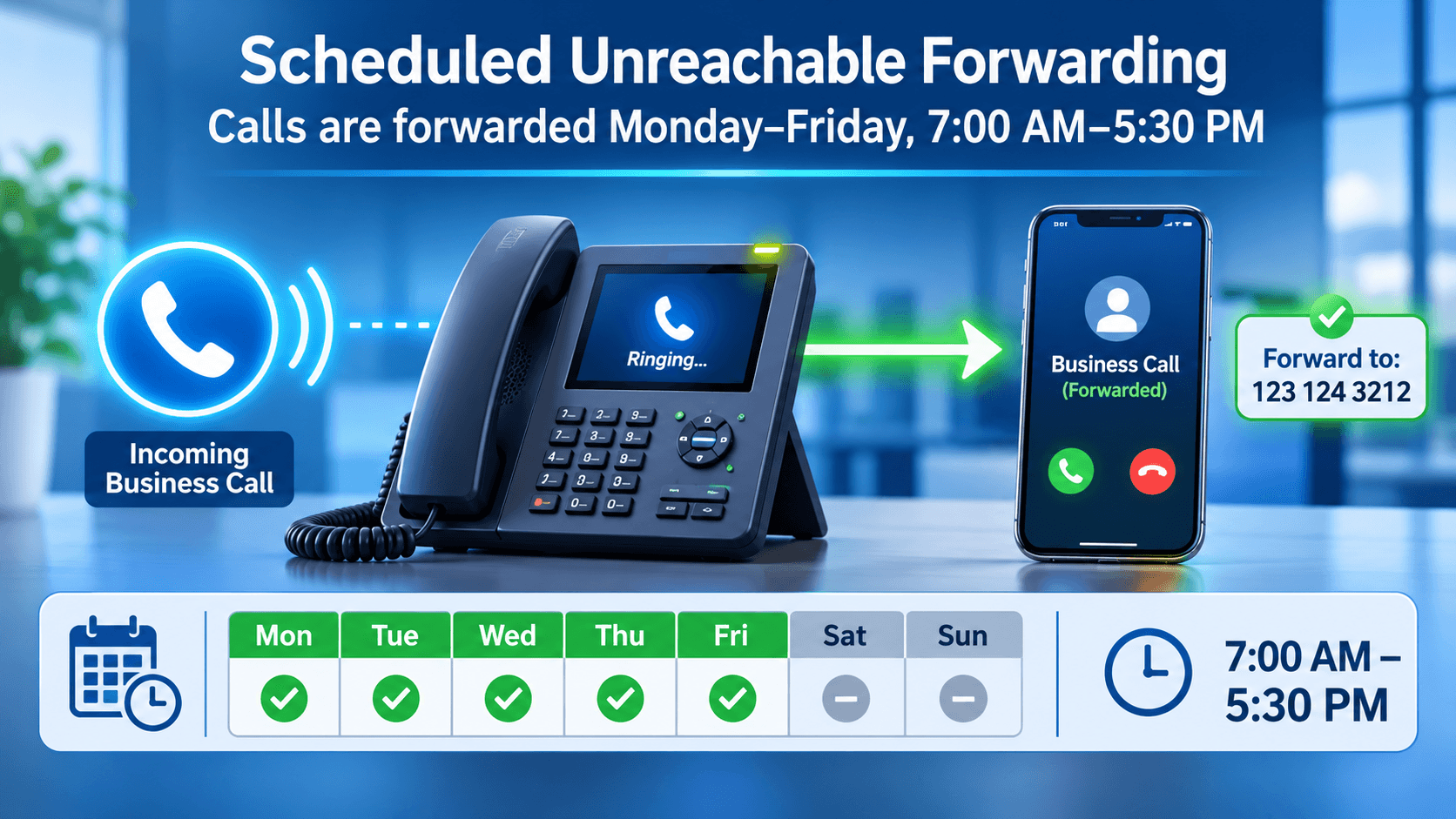
Of course, there are situations where forwarding calls is not desirable. For example, you may only want a particular destination receiving calls during business hours, or perhaps only on certain days of the week.
That’s why FiberConX Communications provides scheduling controls for Unreachable Forwarding. You can define the days and hours during which this forwarding rule should apply, giving you greater control over how calls are handled.
How to Configure Unreachable Forwarding
Setting up Unreachable Forwarding on your FiberConX Communications VoIP system is straightforward.
Follow these steps:
- Access the Settings Configuration Pages
Log in to your VoIP account and navigate to the Settings configuration pages. - Open Extensions
Select the Extensions section to view your configured extensions. - Edit the Desired Extension
Find the extension you want to configure and select Edit. - Locate Supplementary Inbound Calling Options
Scroll down until you find the section labelled Supplementary Inbound Calling Options. - Enable Unreachable Forwarding
Find the Unreachable Forwarding section and enable the feature. - Set the Forwarding Destination
Enter the destination where calls should be redirected when the extension becomes unreachable. This could be another internal extension, a cell phone number, or an external answering service. - Select the Days of the Week
Use the Days of Week settings to choose which days the forwarding rule should apply. - Configure the Forwarding Hours
Set the hours during which Unreachable Forwarding should be active. This allows you to control when calls are redirected and when they should follow your normal call-handling arrangements. - Click SAVE!
Don’t forget this final step. Click the SAVE button at the bottom of the page to apply your configuration.
Once saved, your extension will have an additional layer of call protection whenever it becomes unreachable, subject to the days and hours you configured.
Keep Your Business Connected With FiberConX Communications
Unexpected outages and connectivity issues are a reality for any business. While you can’t always prevent a phone from going offline, you can decide what happens to incoming calls when it does.
Unreachable Forwarding gives your business greater control over those situations, helping ensure important calls have an alternative destination instead of simply being lost because an extension cannot be reached.
At FiberConX Communications, we believe a good VoIP system should do more than just connect calls. It should give your business the tools and flexibility to manage communications reliably, even when things don’t go according to plan.
Unreachable Forwarding is one of those features that you might not think about every day, but when you need it, you’ll be glad it’s there.
Make sure your business is always reachable. Explore the call management features available with FiberConX Communications and get more from your VoIP service.
For more information on this or any other of our articles, contact us
By Phone
You can call us directly at any time by any of the phone numbers shown on our Contact Us page.
By Email
You can email us directly at any time by any of the email addresses shown on our Contact Us page..
Contact Form
You can reach us directly at any time by the completing the contact form on our Contact Us page.